

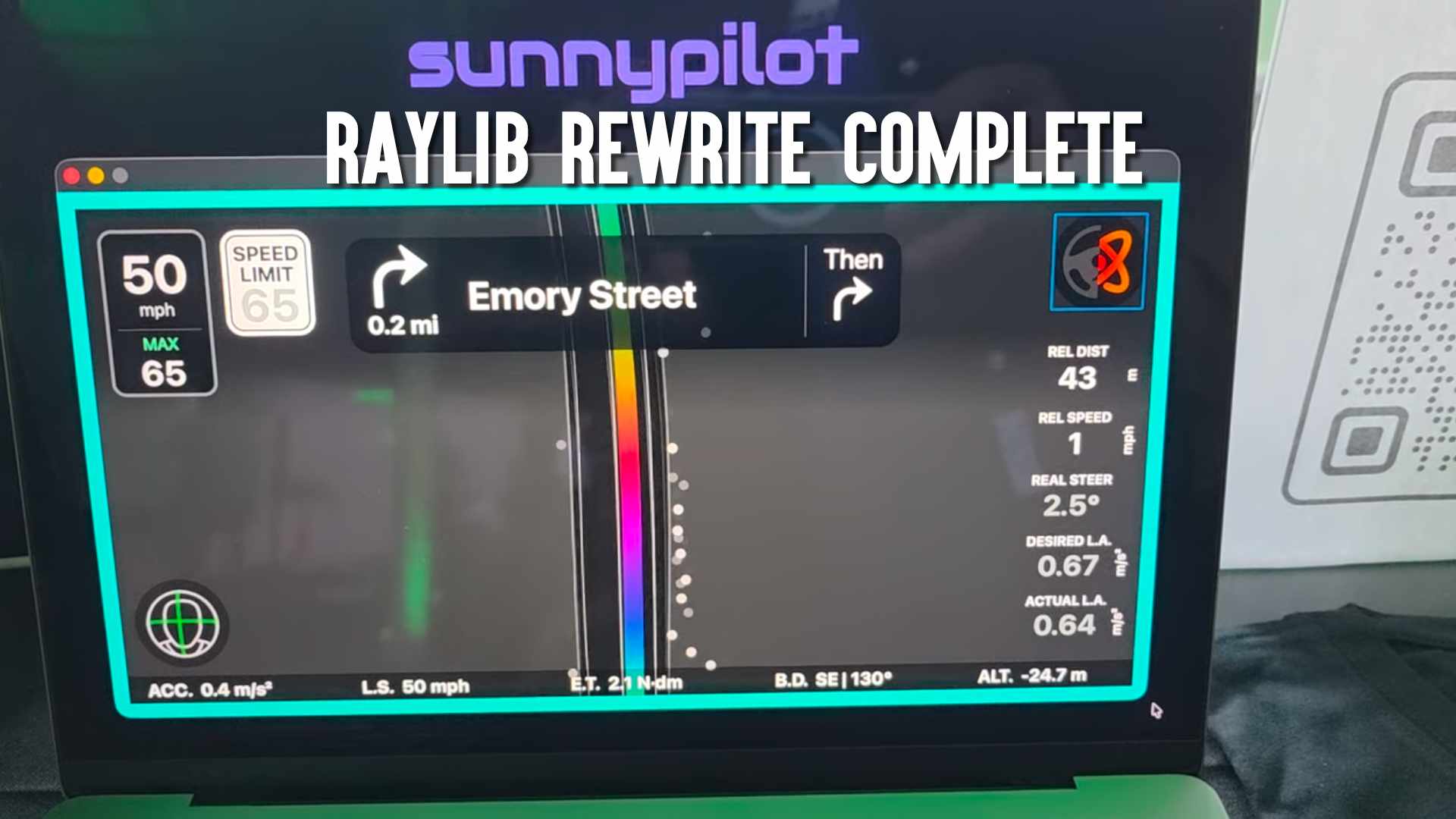
Sunnypilot has just reached a major milestone in its development with the unveiling of v2026.001.000, a sweeping architectural update that lays the foundation for the next generation of its open-source driver assistance platform. The announcement, shared on the official Sunnypilot Community forum, highlights a complete transition of the user interface to Raylib Python, re-enabled staging builds, and the first official support for the Comma 4 device — all now available in the staging branch for early testers.
A UI Rewritten from the Ground Up
One of the most significant changes in this update is the complete overhaul of Sunnypilot’s UI framework. Previously built using Qt C++, the entire interface has now been rewritten in Raylib Python — a move aimed at simplifying the codebase and enabling faster future enhancements. According to the announcement, this ambitious rewrite took several months of focused development and has now reached a point where it has near feature parity with the previous UI on both on-road driving screens and off-road settings.
While this release isn’t yet part of the stable channel, the staging builds are live and ready for community testing — marking the transition from development to refinement. The Sunnypilot team is targeting a full public release of v2026.001.000 around late March 2026, once staging feedback has been incorporated.
Comma 4 Support Arrives in Staging
Arguably the most exciting news for the community is the introduction of official Comma 4 support in the staging branch. This represents the first time Sunnypilot has directly embraced the newest device from comma.ai, moving beyond prior workarounds or experimental support in dev branches.
However — due to the Comma 4’s significantly smaller screen footprint compared to earlier devices like the Comma 3X — the Sunnypilot team has taken a thoughtful approach to how controls are presented. To avoid cluttered displays or distraction while driving, only a limited set of controls appear directly on the device’s screen.
To compensate for this, Sunnylink — Sunnypilot’s remote configuration dashboard — is now strongly recommended as the primary method for adjusting settings on the Comma 4. This allows users to configure their device and feature toggles from a more flexible, external interface rather than relying solely on the limited on-device UI.
Branch Structure and What’s Next
With this update, Sunnypilot’s branch strategy is becoming more structured around device support:
- staging – the current home for v2026.001.000 for both Comma 3X and Comma 4 testing.
- release-tizi – stable releases for the Comma 3X.
- release-mici – will house stable Comma 4 releases once the staging build graduates.
- release-tici – legacy support for earlier Comma 3 hardware.
Documentation updates are also on the horizon. With so much of the UI refactored and Sunnylink playing a growing role in how users interact with their device settings, the team acknowledges the need to revise official guides and how-tos in order to match the evolving feature set.
Community Testing and Feedback
As with all major Sunnypilot milestones, community feedback is a critical part of the release process. The announcement closes with a call for testers to try the staging build on their devices — whether Comma 3X or Comma 4 — and report any issues back through the Bug Reports section of the forum. This feedback will help squash bugs and polish the release before it transitions to stable later this spring.
In summary: Sunnypilot’s v2026.001.000 is a watershed moment — delivering a full UI rewrite in Raylib Python, enabling powerful remote configuration via Sunnylink, and opening the door to official Comma 4 support. While the update is still in staging, it points to a more modular, flexible future for this popular open-source driving assist fork.